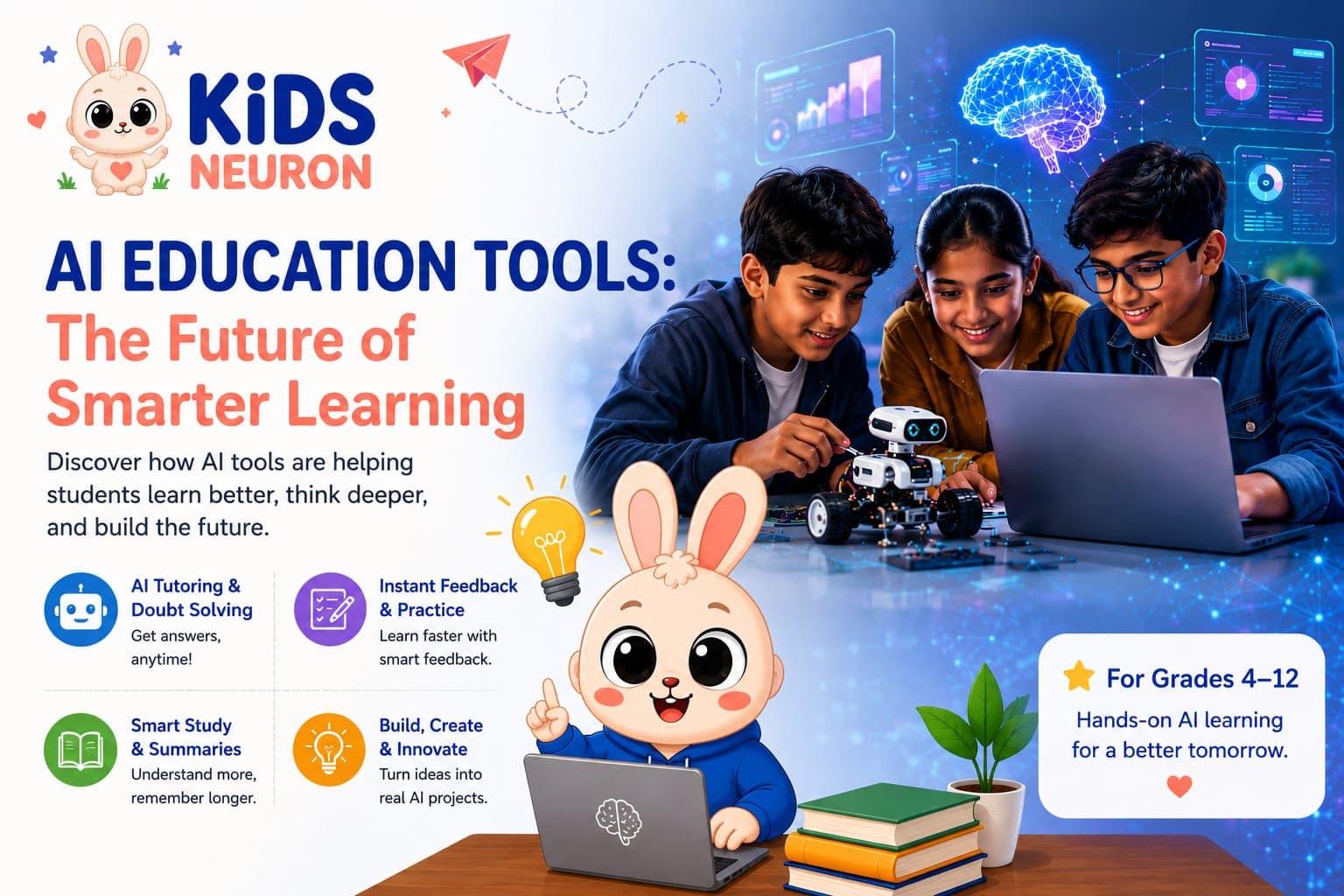
AI Education Tools: How Artificial Intelligence Is Changing the Way Students Learn
A decade ago, "using a computer for homework" meant typing an essay or searching for facts online. Today, a student can ask a chatbot to explain photosynthesis in three different ways, generate a practice quiz on the French Revolution, or get instant feedback on a piece of code — all before dinner. This shift is not a passing trend. It is a fundamental change in how children learn, practice, and build real skills.
Parents, teachers, and students are all asking versions of the same question: which AI education tools are actually useful, how do AI applications in education work in real classrooms, and what does artificial intelligence in education mean for a child's future? This guide answers those questions in plain language, without hype, and with practical direction on where to start.
What Are AI Education Tools, and Why Do They Matter Now
AI education tools are software applications that use machine learning, natural language processing, or generative AI to support teaching and learning. They can explain a concept, generate practice questions, correct grammar, summarise a textbook chapter, or even help a student plan a study schedule.
What makes this moment different from earlier waves of "edtech" is accessibility. A student no longer needs a specialised lab or an expensive subscription to experiment with AI. A free account and a curious question are often enough to get started. That accessibility is exactly why schools, tutors, and families are paying closer attention — the tools are already in students' hands, whether adults have guided them or not.
The real value of these tools isn't that they do the work for a child. It's that they can act like a patient, always-available study partner — one that never gets tired of explaining the same algebra step a third time. Used well, they build independence. Used carelessly, they can become a shortcut that skips real learning. The difference usually comes down to whether a student understands how to use the tool, not just that it exists.
Artificial Intelligence in Education: From Novelty to Necessity
Artificial intelligence in education has moved through three phases. First, it was experimental — a handful of pilot programmes testing whether AI-driven tutoring software could adapt to individual students. Second, it became mainstream, with generative AI chatbots becoming a normal part of how students research and study. We are now entering the third phase: AI as a skill students are expected to understand and use responsibly, not just consume passively.
This shift matters because the job market students will enter in ten years will almost certainly expect basic fluency with AI tools — the same way today's workplaces expect comfort with spreadsheets or email. Schools and curricula are catching up slowly, which means a meaningful part of this learning is happening outside the traditional classroom — through guided programmes, family exploration, and structured practice.
At KidsNeuron, this is the core idea behind the AI Product Building Bootcamp for Grades 4–12: students don't just read about artificial intelligence, they build with it — creating chatbots, websites, and mini AI applications under mentor guidance. That hands-on approach reflects where education is heading: less passive consumption, more active creation.
AI Applications in Education: Where the Technology Actually Helps
It helps to break "AI in education" into concrete use cases rather than treating it as one big idea. Here are the applications making the most difference for students right now.
- Personalised Tutoring and Doubt-Solving: AI-powered tutoring tools can explain a concept at the exact level a student needs, repeat an explanation using a different analogy, and adjust difficulty based on how a student is doing. This is especially useful for subjects like mathematics and science, where a single unclear step can block a student's understanding of everything that follows.
- Instant Feedback on Writing and Code: Instead of waiting days for a teacher to mark an essay or a coding assignment, students can get immediate feedback on grammar, structure, logic errors, or code bugs. This shortens the feedback loop dramatically, which research on learning consistently shows speeds up skill development.
- Adaptive Practice and Quizzes: AI applications in education increasingly power adaptive quiz systems — tools that notice which topics a student struggles with and generate more practice in those specific areas rather than repeating what the student already knows. KidsNeuron's own interactive AI quizzes reflect this idea, giving students bite-sized ways to test their understanding of AI concepts as they learn.
- Content Summarisation and Study Aids: Long textbook chapters, dense articles, or research material can be summarised into digestible study notes, flashcards, or mind maps. This doesn't replace deep reading, but it gives students a faster way to review before exams or grasp the big picture before diving into details.
- Project-Based and Creative Building: Perhaps the most exciting application isn't tutoring at all — it's creation. Students are using AI tools to build their own chatbots, design websites, prototype mobile apps, and even sketch out startup ideas. This is where AI stops being a study aid and becomes a genuine skill-building exercise. It's also the philosophy behind KidsNeuron's Advanced AI Bootcamp and AI Creator Bootcamp for Grades 4–7, where younger and older students alike move from understanding AI concepts to actually shipping small AI-powered products.
- Career and Skill Preparation: Beyond the classroom, AI applications are shaping how students prepare for the future. Building a portfolio of real projects — a chatbot, a website, a small app — gives students tangible proof of skill that a report card alone cannot show. This is increasingly what stands out on college applications and early resumes.
Best AI Websites for Students: A Practical Starting Point
Parents and students often ask for a simple starting list rather than a technical explanation. Here is a categorised overview of the kinds of platforms worth exploring, based on what they're designed to do.
- For homework help and concept explanations: Look for AI chatbot tools built specifically with academic use in mind — ones that show their reasoning step by step rather than just giving a final answer. A tool that explains why an answer is correct teaches more than one that simply states the answer.
- For research and summarisation: AI-powered research assistants can help students gather information from multiple sources and condense it, though students should always be taught to verify facts rather than accept AI output blindly. This is a critical digital literacy skill, not an optional extra.
- For writing support: Grammar and writing-feedback tools can help students catch errors and improve structure, but the strongest results come when students use them to understand their mistakes rather than just accept auto-corrections.
- For coding and building: This is where the best AI websites for students go beyond passive help and become creation platforms — tools where a student can build a chatbot, a simple game, or a website with AI assistance guiding the process. This is the category KidsNeuron focuses on most directly, because building something real is where learning sticks.
- For quizzes and self-testing: Interactive, AI-generated quizzes are a low-pressure way for students to check their own understanding regularly instead of only being tested at exam time.
How to Introduce AI Tools to a Child the Right Way
Handing a child an AI chatbot with no guidance is a bit like handing over a calculator before they've learned to add. The tool becomes a crutch instead of a skill-builder. A more effective approach looks like this:
- Start with curiosity, not homework. Let a child explore what AI can do on a low-stakes topic — a hobby, a game idea, a question they're genuinely curious about — before introducing it as a study tool.
- Teach verification early. AI tools can produce confidently wrong answers. Teaching a student to double-check facts is one of the most valuable habits they can build.
- Move from using to building. The biggest leap in learning happens when a student stops just asking an AI tool questions and starts building something with it — a simple chatbot, a small website, an automated tool for a real problem.
- Add structure and mentorship. Self-directed exploration is valuable, but structured guidance accelerates progress and prevents bad habits from forming. This is where a guided programme, rather than unsupervised browsing, tends to produce far stronger outcomes.
Why Project-Based Learning Beats Passive AI Use
There's a meaningful difference between a student who has used ChatGPT to finish homework faster and a student who has built a working AI chatbot from scratch. The first is a shortcut. The second is a skill.
Project-based AI learning forces a student to understand what's happening behind the interface: how a chatbot processes a prompt, why an app needs a clear user flow, what makes a website usable, how to debug when something doesn't work. These are transferable problem-solving skills, not one-off homework answers.
This is also where genuine expertise and trustworthy guidance matter. Learning AI concepts from scattered videos or unmoderated forums can leave gaps or introduce bad habits — like over-reliance on AI output without understanding it. A structured, mentor-led environment, where students build real AI applications, chatbots, and websites step by step, closes those gaps. It's a core reason families choose a guided AI Product Builder Internship over unstructured self-learning: consistent mentorship, weekly project reviews, and a curriculum built specifically for school-age learners in Grades 4–12.
If you're curious about the broader case for early AI exposure, KidsNeuron's earlier guide, Why Every School Student in India Should Learn AI, goes deeper into the long-term advantages of starting young.
Balancing AI Use With Genuine Understanding
A fair concern among educators and parents is that AI tools might weaken a student's ability to think independently. This is a valid worry, but it's a question of how the tools are used, not whether they should be used at all.
The safest approach treats AI as a thinking partner, not a thinking replacement. A student who asks an AI tool to explain a concept and then tries to re-explain it in their own words is learning. A student who copies an AI-generated answer without engaging with it is not. The tool is identical in both cases. The outcome depends entirely on the habits around it.
This is also why hands-on building matters so much. When a student is creating an AI chatbot or a small application, they can't simply copy-paste their way to a working product. They have to understand what they're doing, troubleshoot problems, and iterate — which is a far more durable form of learning than passive question-asking.
Getting Started: A Simple Next Step for Parents and Students
If your child is already curious about AI, the best move isn't to hand over unlimited access to every tool available. It's to give them a structured, age-appropriate path to explore, build, and understand AI with proper guidance.
KidsNeuron offers exactly that starting point — a 3-day trial where students get a first taste of AI product building before committing to a full programme. It's a low-pressure way to see whether guided, project-based AI learning is the right fit. For more detail on the full curriculum and mentor-led approach, the About Us page outlines how the program is structured, and the team is reachable directly through the Contact page for specific questions.
AI in education is not a future possibility anymore. It's already shaping how students learn, practice, and prepare for what comes next. The students who benefit most won't be the ones who use AI the most, but the ones who learn to use it well: to question, to build, and to understand. Giving a child that foundation early, through structured and mentor-guided practice, is one of the most future-proof investments a family can make in their learning journey.
Frequently Asked Questions
What are the best AI education tools for school students?
The best tools depend on the goal. For concept explanations and doubt-solving, look for AI tutoring chatbots that show their reasoning. For skill-building, project-based platforms where students actually create chatbots, websites, or small apps tend to teach more than tools that only answer questions.
Are AI applications in education safe for children to use?
Not all of them are designed with younger users in mind. Parents should check for age-appropriate content safeguards, avoid tools with unmoderated open access, and prefer structured, mentor-guided environments over unsupervised platforms, especially for children under 13.
What is the best AI website for students who are complete beginners?
Beginners benefit most from platforms that combine simple explanations with guided practice, rather than open-ended chatbots with no structure. A guided program that introduces AI concepts step by step, like KidsNeuron's Grade 4–12 bootcamp, is often a better starting point than self-directed exploration.
Will using AI tools make students lazy or reduce independent thinking?
It can, if the tools are used only to get quick answers. It won't, if students are taught to verify information, explain concepts in their own words, and use AI as a starting point for understanding rather than a final answer. Project-based learning, where students build rather than just ask, largely avoids this risk.
At what age should a child start learning about artificial intelligence in education?
There's no strict minimum age, but structured programs generally work well from around Grade 4 onward, when students can grasp basic logical concepts and are old enough to use guided digital tools responsibly. Programs like KidsNeuron's AI Creator Bootcamp are specifically designed for younger learners in Grades 4–7.
How is AI different from traditional edtech tools like learning apps or video lessons?
Traditional edtech tools are largely one-directional. They deliver content for a student to consume. AI tools can respond, adapt, and interact based on what a specific student needs, and in project-based settings, students can use AI to actively build things rather than just watch or read.
Can students build their own AI applications without prior coding experience?
Yes. Many project-based AI programs are designed for beginners, introducing coding concepts gradually alongside AI tools that lower the technical barrier to building a first chatbot, website, or app. Prior coding knowledge helps but isn't a requirement to start.
How can parents tell if an AI tool is actually helping their child learn?
A useful sign is whether a child can explain what they learned in their own words after using the tool, and whether they're building understanding over time rather than repeatedly asking for the same type of help. Tools paired with mentor feedback and project reviews make this progress easier to track.
Give your child a structured path to learn AI
Start with a 3-day trial at KidsNeuron and let your child experience project-based AI learning with mentor guidance — before committing to a full programme.
Book 3-Day Trial